
Awlady Today Help & Support
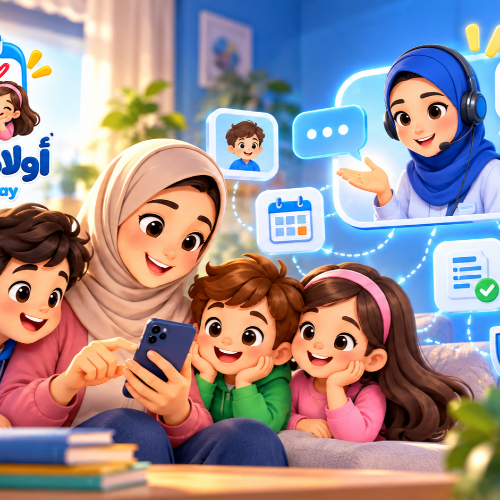
Awlady Today Help & Support
Welcome to the Awlady Today Help & Support Center.
We are here to help you use the application and make the most of its tools for organizing your children's lesson schedules and keeping track of their timetables, teachers, financial obligations, payments, and reminders.
If you experience a problem or have a question, you can review the topics below or contact us through our official support channel.
How Can We Help?
You can contact us for assistance with topics related to using Awlady Today, including:
- Account creation and sign-in.
- Profile management.
- Family and family-member management.
- Adding children and managing their information.
- Adding teachers and subjects.
- Creating and organizing lesson schedules.
- Daily and weekly timetables.
- Current and upcoming lessons.
- Recording and tracking amounts due and payments.
- Reminders and notifications.
- Language and appearance settings.
- Technical problems or unexpected application behavior.
- Privacy and data protection.
- Requests to delete specific information.
- Account deletion requests.
Account and Sign-In
If you are having trouble accessing your account, first make sure that you are using the correct sign-in information.
Where multiple sign-in methods are available, use a method associated with your account.
Never share your password or verification codes with anyone, including when requesting support.
We will not ask you to send your account password by email or through support messages.
Managing Your Family and Children
Awlady Today helps you organize information about your children and their lesson schedules within your family.
If you experience a problem involving a child or family information, try to identify:
- The child concerned.
- The type of information or lesson involved.
- The action you were trying to perform.
- Any error message that appeared.
Please avoid sending unnecessary personal information when contacting support.
Lessons and Timetables
If a lesson is incorrect or does not appear as expected, review the recorded lesson information, including:
- Day and date.
- Lesson start time.
- Teacher.
- Subject.
- Lesson location.
- Any recorded change or cancellation.
Remember that Awlady Today helps organize information recorded in the application. The accuracy of your timetable therefore depends on the accuracy and timely updating of the information entered.
Notifications and Reminders
If you do not receive an expected reminder, check:
- Whether the application has permission to send notifications.
- Your device's notification settings.
- Reminder preferences within the application, where available.
- Battery or power-saving settings that may restrict applications from operating in the background.
- Whether the device's time and time zone are configured correctly.
Notification management may vary depending on your operating system and device version.
Payments and Amounts Due
The application helps you organize and track lesson-related financial obligations and payments.
If an amount or payment status appears incorrect, review the relevant record and verify the amount, due date, amount paid, and recorded payment method.
Unless expressly stated otherwise for a particular service, recording a payment in the application represents an organizational record for the user and does not necessarily mean that the application has collected money or processed a financial transfer.
Privacy and Your Data
The privacy of your family and children's information is important to us.
To learn how information is handled, please review our Privacy Policy.
If you would like to request the deletion of specific information while keeping your account, please review our Data Deletion page.
If you wish to terminate your account, please review our Delete Account page.
Before Contacting Support
To help us understand and resolve your issue more efficiently, consider including the following information where relevant:
- A short and clear description of the issue.
- The steps that led to the issue.
- Your device type and operating system.
- Your Awlady Today application version.
- The text of any error message displayed.
- A screenshot of the issue, provided that it does not contain sensitive information.
Do not send passwords, verification codes, or confidential financial information.
Reporting a Technical Problem
If you encounter an error or technical problem, send us a clear description of what happened and what you expected to happen.
The more relevant details you provide, the easier it will be for us to understand and investigate the issue.
If the problem relates to a child's information, provide only the information necessary to explain the issue and avoid sharing additional personal information that we do not need.
Suggestions and Feedback
We welcome suggestions about how Awlady Today can be improved.
If you have an idea that could make organizing children's lessons, schedules, payments, or reminders easier, you can send it through our official communication channel.
User feedback helps us identify useful improvements as the application evolves.
Helpful Pages
You may also find the following pages useful:
Privacy Policy — Learn how your information is handled.
Terms & Conditions — Review the terms governing use of the application.
Delete Account — Learn how to request deletion of your account.
Data Deletion — Learn how to request deletion of specific information.
Frequently Asked Questions — Find quick answers to common questions, when available.
Contact Support
If you cannot find an answer to your question, please contact us:
Application: Awlady Today
Support Email: info@awlady-today.2lnk.org
When contacting us, please use a clear subject line and provide enough relevant information to help us assist you effectively.